Vat Rates
How to access:
To open the window, click Setup → Vat Rates in the application menu:
To define a new Vat Rate, click  in the lower toolbar,
the Vat Rate details window will be opened to enter the new info.
in the lower toolbar,
the Vat Rate details window will be opened to enter the new info.
To edit an existing Vat Rate, double-click the row showing the Vat Rate to be updated, the Vat Rate details window will be opened to update the info.
To delete an
existing Vat Rate, click  in the toolbar, the info will be removed
after a confirmation.
in the toolbar, the info will be removed
after a confirmation.

This window shows all details of a Vat Rate
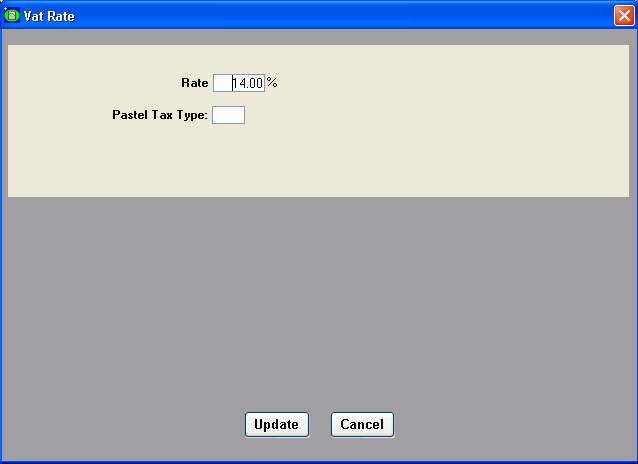
It contains the following information:
|
Label |
Meaning |
|
Vat Rate |
Vat Rate that can be used |
|
Pastel Tax Type |
Corresponding tax type in Pastel for this VAT rate. (only required if the Pastel export is used) Go To Setup → Options → Accounting for more details |
Click Update at the bottom of the window to confirm the changes and return to the previous screen. The Cancel button will undo the changes and will also return to the previous screen.